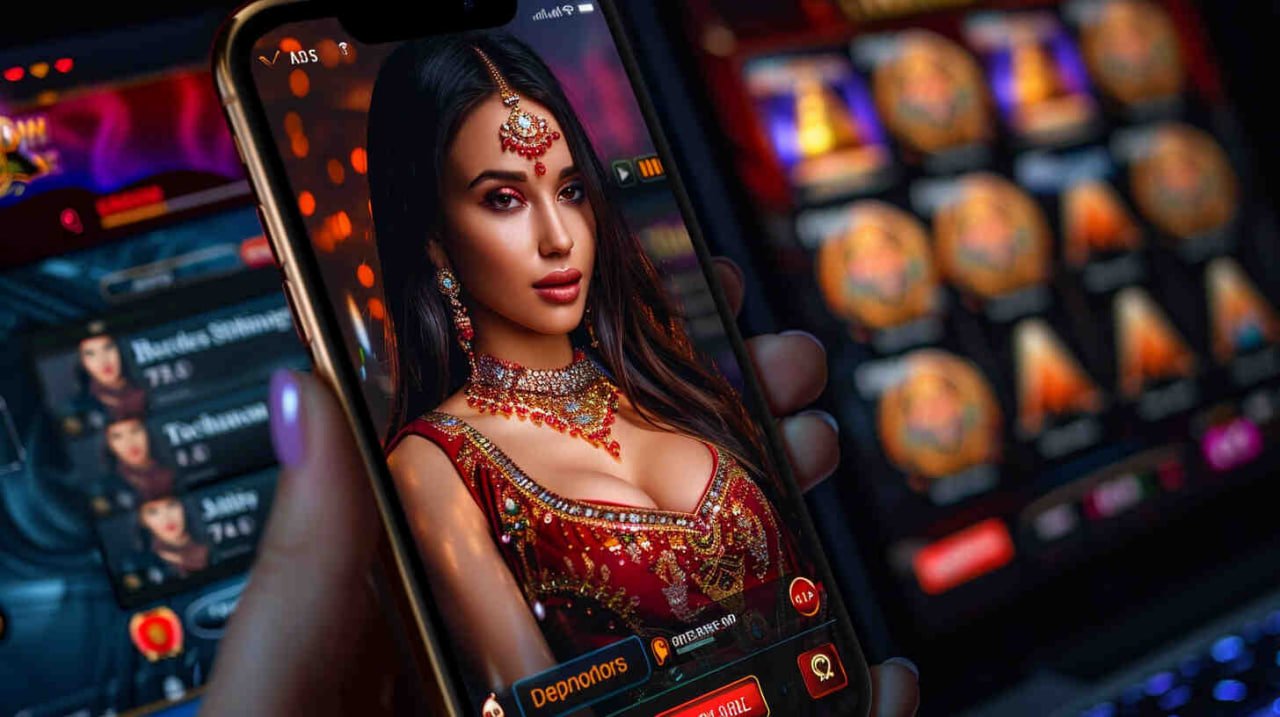
777ce Mobile App

Download the 777ce App – Your Complete Pakistan Gaming Platform on Android and iOS, Always in Your Pocket

Whether you are following the PSL, spinning through slots or hunting fish for PKR prizes, the 777ce app puts everything in one clean, fast interface right on your phone. One download and you never need to type a URL again.

Android APK Direct Download
iOS iPhone & iPad Ready
PKR All Transactions
24/7 Live & In-App Support

Choose Your Platform

The 777ce app is available for both Android and iOS. Pick the version that matches your device and you will be set up within minutes.

🍎

iOS App

Version 4.7.2  ·  Released June 2026  ·  52 MB

iPhone and iPad users can get the 777ce app through the direct install link — no complicated steps required. Supports iOS 13 and above, which means any iPhone 6s or newer will run it smoothly. The interface adapts perfectly to Retina screens and the larger iPad display works brilliantly for fish games and live sports betting.

Minimum iOSiOS 13.0+
File Size52 MB
InstallationDirect Install Link
PKR PaymentsJazzCash, Easypaisa, Raast
Auto-UpdateIn-App Notification
Slots Fish Games Betting Bingo Live Casino
Download iOS App
No download? No problem — play directly in your browser

Every single game on 777ce — slots, fish games, betting, bingo and more — works in your phone's browser without any installation. The app just gives you a faster, more convenient experience with smoother load times and easier access to your account. You can always try the browser version first and download the app whenever you are ready.

777ce

Why Download the 777ce App Instead of Using the Browser?

Both the browser version and the native app give you access to everything on 777ce — your full game library, your PKR balance, deposits, withdrawals and support. So why bother downloading the app at all? For most Pakistani players who use their phones daily, the app genuinely changes the experience in ways that add up over time.

The most obvious difference is speed. When you open the browser and navigate to 777ce, the page has to load assets fresh each time — especially noticeable on mobile data. The app caches the core interface locally, so the lobby appears in a fraction of the time. For fish games in particular, where smooth frame rate matters for targeting, that difference is immediately noticeable.

The second difference is convenience. The 777ce app icon sits on your home screen — one tap and you are in your account, with your PKR balance already showing. No typing URLs, no browser tabs competing for memory, no accidental navigation away from the game screen. For players who check odds on PSL matches regularly or like to jump into a quick slot session between other activities, that one-tap access becomes something you genuinely appreciate.

  • Faster Load Times: App-cached assets mean the lobby and games open significantly faster than the browser version, especially on busy mobile connections.
  • Push Notifications: Get instant alerts for new promotions, PSL betting odds, slot tournaments and account activity directly on your lock screen — without having to check manually.
  • Smoother Frame Rates: Fish games and live casino titles run more smoothly through the native app compared to a mobile browser, particularly on mid-range Android devices common in Pakistan.
  • Biometric Login: Use your fingerprint or Face ID to log into 777ce on supported devices — faster and more secure than typing your password every session.
  • Persistent Session: The app remembers your login state between sessions. You will rarely need to enter your credentials again once you are set up.
  • Optimised Touch Controls: Game controls in fish games and live betting are fine-tuned for touch input in the native app, with better tap registration and less accidental mis-taps than the browser equivalent.


How to Install the 777ce Android App

Installing the 777ce APK on Android is straightforward. The process takes about two minutes from start to finish — and once it is done you will not need to repeat it. Here is the step-by-step guide.

01

Visit the 777ce Download Page

Open your phone's browser — Chrome, Samsung Internet or any default browser — and navigate to the 777ce Download section. You will see the Android APK download button clearly labelled at the top of the page.

02

Tap "Download Android APK"

Tap the download button. Your browser will ask whether to download the file — confirm and wait for the APK to finish downloading. The file is around 48 MB so it should complete in under a minute on a standard 4G connection.

03

Allow Installation from Unknown Sources

Because the 777ce APK is installed directly rather than via the Play Store, Android will ask you to allow installation from your browser. Go to Settings → Apps → Special App Access → Install Unknown Apps, find your browser and toggle it on. You can turn this back off after installation if you prefer.

04

Open the Downloaded APK File

Go to your Downloads folder (or tap the notification that appeared when the download finished) and tap the 777ce APK file. Android will show you an installation confirmation screen — tap Install.

05

Open 777ce and Log In

Once installation completes, tap Open from the installation screen or find the 777ce icon on your home screen. Log in with your existing credentials or register a new account. That is it — you are in.

How to Install the 777ce iOS App

The iOS version of the 777ce app installs via a direct link — the process is slightly different from Android but equally simple. Here is exactly what to do on your iPhone or iPad.

01

Open the Download Page in Safari

For the smoothest experience on iOS, open the 777ce Download page in Safari specifically. Other browsers on iPhone may not handle the direct install link correctly. Safari is already installed on every iPhone by default.

02

Tap the iOS Install Link

Tap the iOS download button on the 777ce page. Safari will display a prompt asking whether you want to allow the installation of the 777ce app — tap Allow and the app will begin installing in the background.

03

Trust the Developer Profile

Go to Settings → General → VPN & Device Management and find the 777ce developer profile. Tap Trust. This is a standard iOS step for apps installed outside the App Store and is completely normal.

04

Find the App on Your Home Screen

Return to your home screen and you will see the 777ce app icon. Tap it to open the app. The first launch may take a few seconds to initialise — after that it opens instantly.

05

Log In or Register and Deposit PKR

Sign in with your 777ce account details. New users can register directly within the app in a couple of minutes. Once logged in, head to Deposit and choose JazzCash, Easypaisa, Raast or bank transfer to load your PKR balance and start playing.

Everything Inside the 777ce App

The 777ce app is not just a stripped-down mobile version of the website — it is the full platform, rebuilt from the ground up for phone screens. Every section you see on desktop is available in the app, and several features are actually better in the app than anywhere else.

For cricket fans, the betting section inside the 777ce app is the standout feature. Live PSL match odds update in real time directly in the app — you can see current run rates, wicket alerts and shifting odds without refreshing a browser page. In-play betting on T20 matches is particularly well-suited to the mobile interface, where the compact layout lets you scan odds and place bets between deliveries without losing track of what is happening.

Live Sports Betting

In-play betting on cricket, PSL, T20 internationals and football. Live odds update continuously — place PKR bets mid-match without leaving the app.

Full Slots Library

The entire 777ce slots catalogue is available in the app. Browse by theme, provider or feature type. Classic reels, megaways, bonus buy — all load smoothly on Android and iOS.

Fish Games with Touch Controls

Fish game targeting is noticeably better in the native app. Touch input is calibrated specifically for mobile — your cannon responds exactly where you tap, making boss fish hunts far more satisfying.

Live Casino

Live dealer tables stream directly in the app. The video feed quality adapts automatically to your connection speed — you will not experience buffering on a standard 4G connection across Pakistan.

PKR Deposits & Withdrawals

JazzCash, Easypaisa, Raast and bank transfers are all accessible directly within the app. Deposit in seconds and withdraw your PKR winnings without opening a browser.

Push Notifications

Opt-in to receive alerts for new bonuses, PSL match reminders, slot tournaments and withdrawal confirmations. Never miss a promotion that is relevant to the games you actually play on 777ce.

777ce

App vs Browser — Quick Comparison

Both options give you full access to 777ce. Here is how they compare on the things that matter most to Pakistani players.

Feature 777ce App Mobile Browser
Load Speed Fast (cached assets) Standard
Home Screen Icon Yes Bookmark only
Push Notifications Yes No
Biometric Login Fingerprint / Face ID No
Fish Game Frame Rate Smooth (native rendering) Good (depends on browser)
PKR Deposit & Withdrawal Full support Full support
Full Game Library Yes Yes
Live Cricket Betting Yes Yes
Installation Required Yes (2 minutes) No — open instantly
Persistent Login Yes Depends on browser settings
777ce

Device Requirements & Compatibility

The 777ce app has been specifically optimised for the range of Android and iOS devices most commonly used in Pakistan — from flagship phones down to budget Android handsets running on older versions of the OS. You do not need a high-end device to get a great experience.

On Android, the app runs on any device with Android 6.0 or higher. That includes most Samsung Galaxy A-series and M-series phones, Xiaomi Redmi and Note series, Tecno, Infinix and Vivo models that are popular across Pakistan. The app has been tested extensively on 2GB and 3GB RAM devices — common configurations in the Pakistani mid-range market — and delivers acceptable performance even on those lower-spec handsets, though higher RAM will give smoother fish game animation.

On iOS, the 777ce app supports iPhone 6s and newer (iOS 13+), as well as all iPad models running iOS 13 or higher. The iPad experience is particularly good for live betting on PSL matches — the larger screen lets you see multiple markets simultaneously without scrolling.

Android Requirements
  • Android 6.0 or higher
  • Minimum 1.5 GB RAM (2 GB recommended)
  • 100 MB free storage
  • Active mobile data or WiFi
  • Installation from unknown sources enabled
iOS Requirements
  • iOS 13.0 or higher
  • iPhone 6s / SE (1st gen) or newer
  • All iPad models on iOS 13+
  • 100 MB free storage
  • Safari recommended for installation
Compatible Device Brands in Pakistan
Samsung Xiaomi / Redmi Vivo OPPO Realme Tecno Infinix iPhone iPad OnePlus Huawei

Getting the Best Out of the 777ce App in Pakistan

Once you have the 777ce app installed, a few quick adjustments can make a real difference to your day-to-day experience — particularly if you are on a mid-range Android phone or a slower data connection. Here is what is worth knowing.

Use WiFi for Live Games

For live casino streams and real-time fish game sessions, a stable WiFi connection will always give you the best experience. Mobile data works fine for betting and slots — but for anything that needs a continuous stream, WiFi removes the occasional lag spike that can appear during high-traffic hours on 4G networks in Pakistani cities.

Keep the App Updated

When 777ce pushes a new app version, you will see an update notification inside the app. It only takes a minute to install and ensures you have the latest game additions, security patches and performance fixes. Playing on an outdated version can occasionally result in game loading issues as the server-side code moves forward.

Set Up Biometric Login

Once you are logged in on the app, go to your account settings and enable biometric login if your device supports it. Fingerprint or Face ID login is noticeably faster than typing your password and adds a layer of security — no one else can open your 777ce account even if they have your phone.

Customise Your Notifications

The 777ce app lets you choose which push notifications you want to receive — you can opt in to PSL match reminders and new bonus alerts while turning off the ones that are less relevant to you. Spend a minute in the notification settings after installing to get this set up the way you prefer.

Set Session Limits Before Playing

The responsible gaming tools in your 777ce account are accessible directly from the app menu. Before your first session, take a moment to set a daily deposit or session time limit that reflects your entertainment budget. It is far easier to set that limit before you start than to rely on willpower once you are mid-session.

Live Support is One Tap Away

The 777ce in-app support chat is accessible from the menu bar at the bottom of the app screen. If you encounter any issue — a game freezing, a deposit not reflecting or a withdrawal query — the support team is available around the clock and typically responds within a few minutes.

777ce

Frequently Asked Questions

Common questions from Pakistani players about downloading and using the 777ce app.

Yes, completely free. There is no charge to download the 777ce app on either Android or iOS. You do not need to make any deposit before downloading or installing — the app itself costs nothing. Your PKR balance comes from deposits you choose to make once you are registered and logged in, using methods like JazzCash, Easypaisa or Raast.

Google Play Store has restrictions on certain categories of gaming apps depending on the region. The 777ce APK is distributed directly from the official site to ensure all Pakistani users can access it without restrictions. The direct APK installation is a standard and safe method — many well-known apps in Pakistan are distributed this way. Just make sure you are downloading from the official 777ce website to ensure the file is genuine.

Yes, as long as you download it directly from the official 777ce website. The APK file is the genuine, unmodified app package. The "unknown sources" permission you enable is only required because Android restricts installations from outside the Play Store by default — it does not mean the file is unsafe. After installing, you can turn that permission back off in your settings. Never download the 777ce APK from third-party sites or file-sharing platforms, as those versions could be modified.

The 777ce app supports Android 6.0 and above, which covers the large majority of Android phones currently in use across Pakistan — including most Samsung Galaxy A and M series, Xiaomi Redmi devices, Tecno and Infinix models. If your phone is running Android 5.x or earlier, the app will not install, but you can still access everything through your phone's mobile browser. For the best app experience, 2 GB of RAM or more is recommended, though the app will run on 1.5 GB RAM devices.

Absolutely. The 777ce app connects to the same account system as the website. Your username, password, PKR balance, game history, bonuses and preferences all carry over automatically. Simply log in with your existing credentials after installing the app and everything will be exactly as you left it. There is no need to create a separate account for the app.

When a new version of the 777ce app is available, you will receive a push notification on your phone and an in-app banner will appear the next time you open the app. Tap the update prompt and the new version will download and install automatically — your account data and settings are preserved through the update. The process usually takes under a minute on a standard mobile connection. It is worth keeping the app updated to access new games and features as they are added.

Yes. The full deposit section is built into the 777ce app — tap Deposit from the main menu and you will see all available PKR payment methods including JazzCash, Easypaisa, Raast and bank transfer. Select your preferred method, enter the amount and follow the payment steps. Deposits reflect in your 777ce balance almost immediately and you can go straight into any game once confirmed.

Play Responsibly on the 777ce App

The 777ce app makes it easier than ever to access games and betting — which makes it equally important to be intentional about how you use it. Having a gaming platform in your pocket at all times is convenient, but it also means the opportunity to play is always there. The key is setting boundaries before you start, not after.

Within the 777ce app, you can set daily deposit limits, session time reminders and self-exclusion periods directly from your account settings. These tools are designed to help you stay in control of your gaming as entertainment — use them. Decide on your PKR budget for the week before opening the app, not while you are mid-session. If you find yourself opening the app out of habit rather than genuine interest, that is a good moment to take a break.

The 777ce app is for adults aged 18 and over. Please do not share your login credentials with anyone, and keep your phone secured so that underage family members cannot access your account. Responsible gaming is about enjoying the experience within means that work for your actual life.

Read Our Responsible Gaming Guide
Get the App Today

Download 777ce — Slots, Betting, Fish Games and More, All in PKR

Get the 777ce app on your Android or iOS device and enjoy the full platform — deposit via JazzCash or Easypaisa, bet on PSL and T20 matches, play slots and hunt fish for PKR prizes, all from one clean mobile app.